

I use AutoCut mainly for editing interviews and YouTube content-it honestly saves me so much time. My favorite feature is autoB-Rolls. It feels like the editing is done for me.


Find the right moments for B-Roll, then insert stock footage or AI-generated visuals directly into your timeline.
14-day free trial - No credit card required!
Step-by-Step
Choose your audio language and define an AI prompt style to guide the generation of B-Roll visuals (video or AI images).
Use AI detection to automatically identify the best moments to insert B-Roll footage or visuals, or manually select sections for full control over your edit.
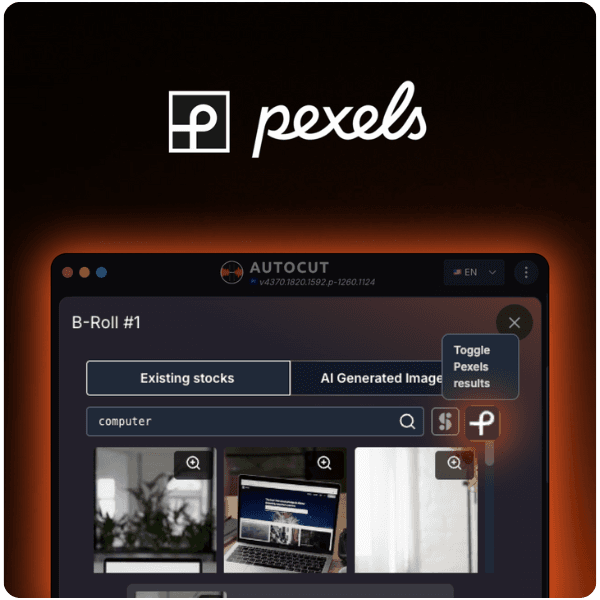
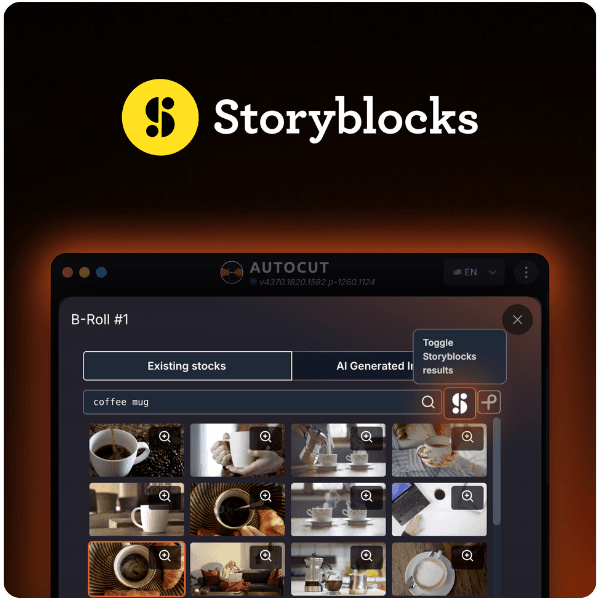
Insert stock footage from Pexels or Storyblocks or generate custom AI visuals. AutoB-Rolls places everything directly into your timeline.
Stock sources inside AutoCut
Find and insert the right B-Roll footage or stock clips in seconds without leaving your edit.
Testimonials
I use AutoCut mainly for editing interviews and YouTube content-it honestly saves me so much time. My favorite feature is autoB-Rolls. It feels like the editing is done for me.
Pleasantly surprised by Autocut. I had a problem with stock footage that was taking me a lot of time to find, which was solved with Autocut!! AutoBroll saves me research time. It's a plugin to help editors, but it won't eliminate our profession.

What I like most about AutoCut is the B-roll and Silences on Premiere Pro. I try to use just about everything and it's a game-changer :)

I highly recommend AutoCut. The price, functionality, and B-Roll feature are AWESOME. I love AutoCut, it has helped me tremendously and saved me countless hours of work.

I use AutoCut mainly for editing interviews and YouTube content-it honestly saves me so much time. My favorite feature is autoB-Rolls. It feels like the editing is done for me.
Pleasantly surprised by Autocut. I had a problem with stock footage that was taking me a lot of time to find, which was solved with Autocut!! AutoBroll saves me research time. It's a plugin to help editors, but it won't eliminate our profession.
What I like most about AutoCut is the B-roll and Silences on Premiere Pro. I try to use just about everything and it's a game-changer :)
I highly recommend AutoCut. The price, functionality, and B-Roll feature are AWESOME. I love AutoCut, it has helped me tremendously and saved me countless hours of work.
I use AutoCut mainly for editing interviews and YouTube content-it honestly saves me so much time. My favorite feature is autoB-Rolls. It feels like the editing is done for me.
Pleasantly surprised by Autocut. I had a problem with stock footage that was taking me a lot of time to find, which was solved with Autocut!! AutoBroll saves me research time. It's a plugin to help editors, but it won't eliminate our profession.
What I like most about AutoCut is the B-roll and Silences on Premiere Pro. I try to use just about everything and it's a game-changer :)
I highly recommend AutoCut. The price, functionality, and B-Roll feature are AWESOME. I love AutoCut, it has helped me tremendously and saved me countless hours of work.
I use AutoCut mainly for editing interviews and YouTube content-it honestly saves me so much time. My favorite feature is autoB-Rolls. It feels like the editing is done for me.
Pleasantly surprised by Autocut. I had a problem with stock footage that was taking me a lot of time to find, which was solved with Autocut!! AutoBroll saves me research time. It's a plugin to help editors, but it won't eliminate our profession.
What I like most about AutoCut is the B-roll and Silences on Premiere Pro. I try to use just about everything and it's a game-changer :)
I highly recommend AutoCut. The price, functionality, and B-Roll feature are AWESOME. I love AutoCut, it has helped me tremendously and saved me countless hours of work.
I use AutoCut mainly for editing interviews and YouTube content-it honestly saves me so much time. My favorite feature is autoB-Rolls. It feels like the editing is done for me.
Pleasantly surprised by Autocut. I had a problem with stock footage that was taking me a lot of time to find, which was solved with Autocut!! AutoBroll saves me research time. It's a plugin to help editors, but it won't eliminate our profession.
What I like most about AutoCut is the B-roll and Silences on Premiere Pro. I try to use just about everything and it's a game-changer :)
I highly recommend AutoCut. The price, functionality, and B-Roll feature are AWESOME. I love AutoCut, it has helped me tremendously and saved me countless hours of work.
I use AutoCut mainly for editing interviews and YouTube content-it honestly saves me so much time. My favorite feature is autoB-Rolls. It feels like the editing is done for me.
Pleasantly surprised by Autocut. I had a problem with stock footage that was taking me a lot of time to find, which was solved with Autocut!! AutoBroll saves me research time. It's a plugin to help editors, but it won't eliminate our profession.
What I like most about AutoCut is the B-roll and Silences on Premiere Pro. I try to use just about everything and it's a game-changer :)
I highly recommend AutoCut. The price, functionality, and B-Roll feature are AWESOME. I love AutoCut, it has helped me tremendously and saved me countless hours of work.
I use AutoCut mainly for editing interviews and YouTube content-it honestly saves me so much time. My favorite feature is autoB-Rolls. It feels like the editing is done for me.
Pleasantly surprised by Autocut. I had a problem with stock footage that was taking me a lot of time to find, which was solved with Autocut!! AutoBroll saves me research time. It's a plugin to help editors, but it won't eliminate our profession.
What I like most about AutoCut is the B-roll and Silences on Premiere Pro. I try to use just about everything and it's a game-changer :)
I highly recommend AutoCut. The price, functionality, and B-Roll feature are AWESOME. I love AutoCut, it has helped me tremendously and saved me countless hours of work.
I use AutoCut mainly for editing interviews and YouTube content-it honestly saves me so much time. My favorite feature is autoB-Rolls. It feels like the editing is done for me.
Pleasantly surprised by Autocut. I had a problem with stock footage that was taking me a lot of time to find, which was solved with Autocut!! AutoBroll saves me research time. It's a plugin to help editors, but it won't eliminate our profession.
What I like most about AutoCut is the B-roll and Silences on Premiere Pro. I try to use just about everything and it's a game-changer :)
I highly recommend AutoCut. The price, functionality, and B-Roll feature are AWESOME. I love AutoCut, it has helped me tremendously and saved me countless hours of work.
I use AutoCut mainly for editing interviews and YouTube content-it honestly saves me so much time. My favorite feature is autoB-Rolls. It feels like the editing is done for me.
Pleasantly surprised by Autocut. I had a problem with stock footage that was taking me a lot of time to find, which was solved with Autocut!! AutoBroll saves me research time. It's a plugin to help editors, but it won't eliminate our profession.
What I like most about AutoCut is the B-roll and Silences on Premiere Pro. I try to use just about everything and it's a game-changer :)
I highly recommend AutoCut. The price, functionality, and B-Roll feature are AWESOME. I love AutoCut, it has helped me tremendously and saved me countless hours of work.
Everything you need to master AutoB-Rolls. Access 4 practical resources covering setup, AI image generation, smart stock suggestions, and workflow tips to insert perfectly timed B-Roll footage or AI visuals faster and elevate your edits effortlessly.
Support
AutoB-Rolls can generate AI-customized images based on your instructions. For video content, you can select from a curated selection of relevant stock footage automatically suggested to match your script. This allows you to seamlessly combine AI-generated visuals with high-quality stock videos to enhance your edit and fill content gaps effortlessly.
For now, AutoB-Rolls connects to Pexels and Storyblocks to give you access to a wide variety of high-quality video footage.
AutoB-Roll automatically inserts relevant stock footage using AI-generated images or videos available in the library. Follow our step-by-step guide.
B-Rolls consist of supplemental footage crucial for enriching video narratives. They provide essential context and visual depth, significantly increasing the engagement and overall quality of your video edits.
Yes, you simply need to set the language of your audio to ensure accurate analysis and matching.
AutoCut supports over 80 languages.
Yes. AutoB-Rolls gives you access to stock footage from Pexels and Storyblocks directly inside AutoCut, with no additional subscription required. You can use the clips in personal and commercial projects, including monetized content, as long as they are part of your final edited video.
For full usage rights and limitations, please refer to our detailed article here
Features
Dive into our 9 AI-powered features to elevate your content.
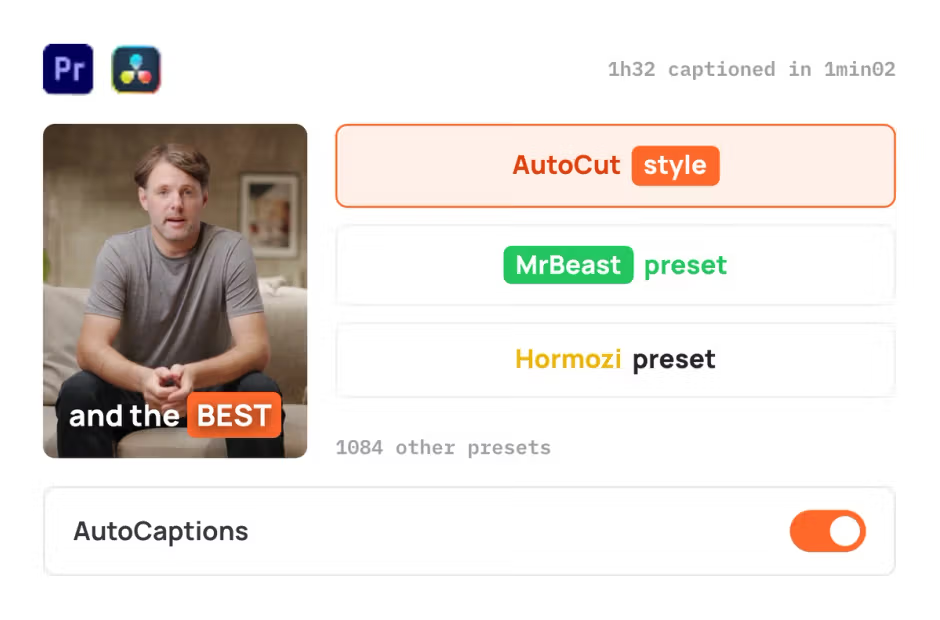
AutoCaptions
AutoCaptions generates animated captions and translates them instantly, boosting the dynamism and engagement of your videos.
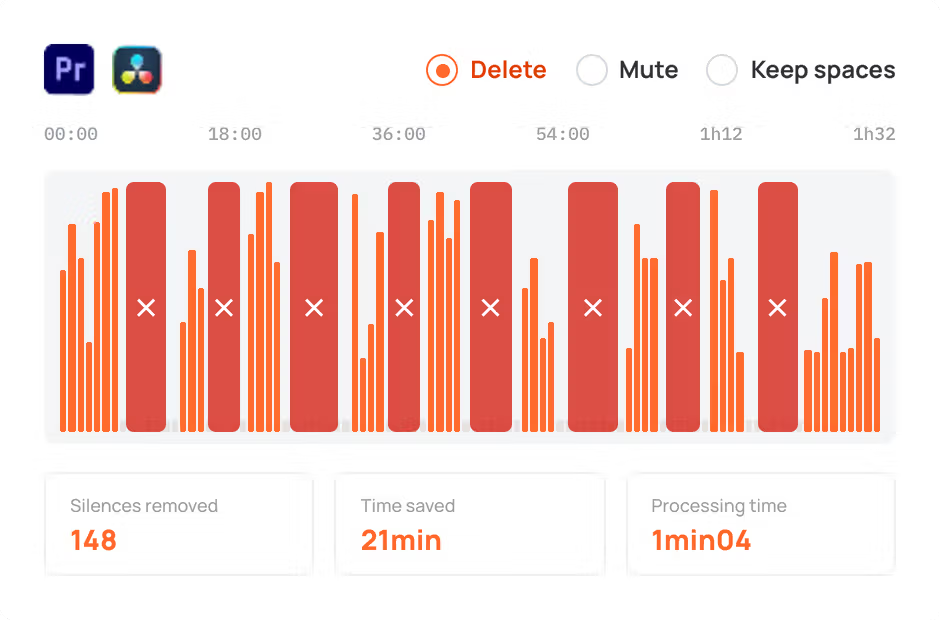
AutoCut Silences
AutoCut Silences eliminates pauses, enhancing video dynamics for a more captivating experience.
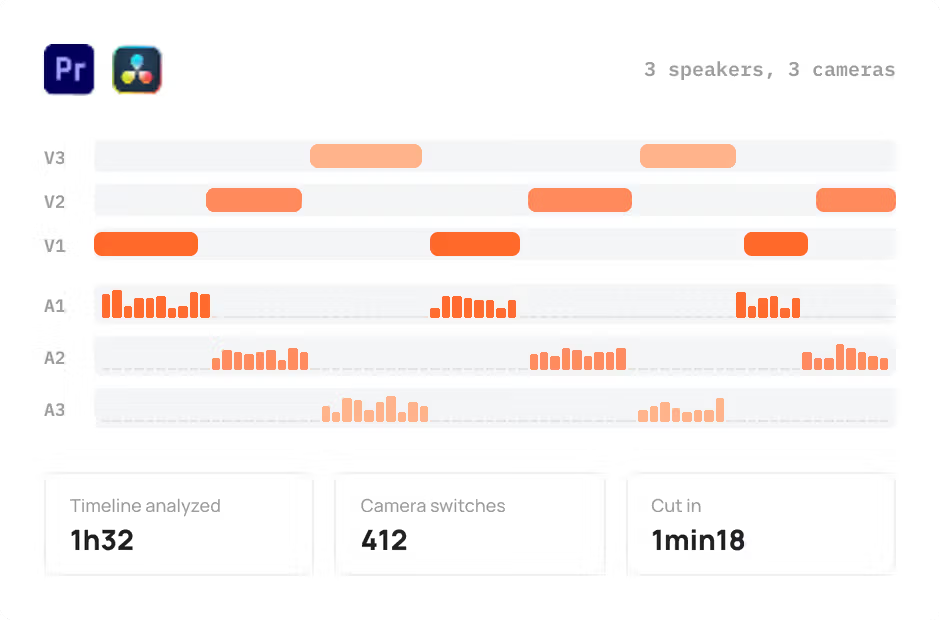
AutoCut Podcast
AutoCut Podcast automates speaker recognition and camera switching for quick multicam podcast editing.
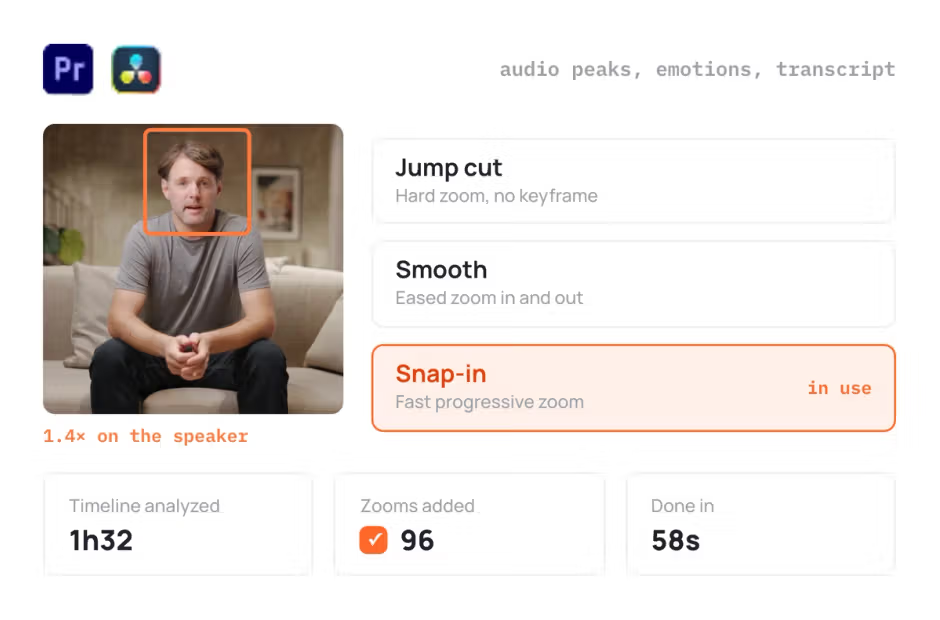
AutoZoom
AutoZoom applies smart and perfectly timed zooms to boost engagement and storytelling.
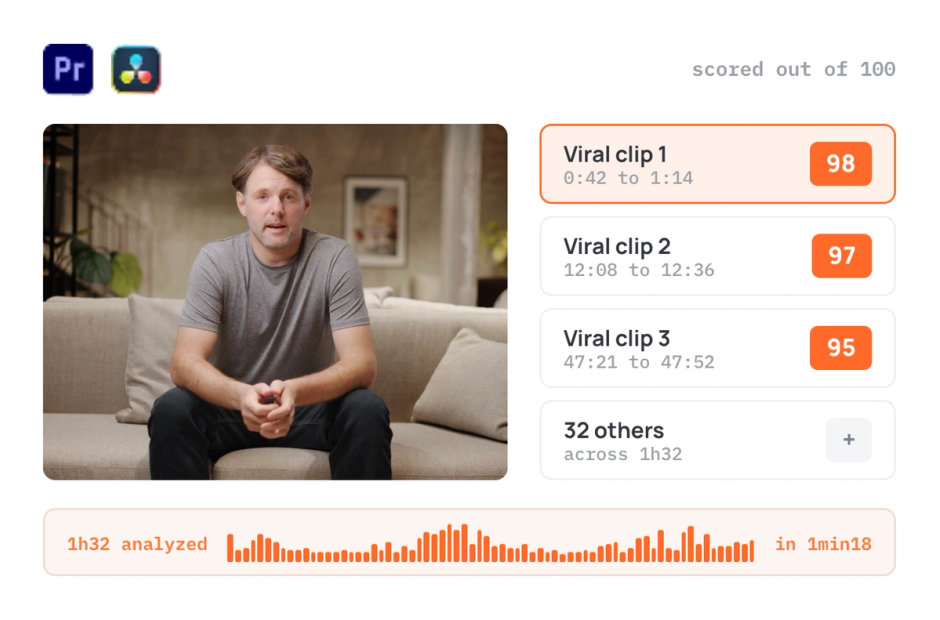
AutoViral
AutoViral identifies key segments in long videos for creating short-form content.
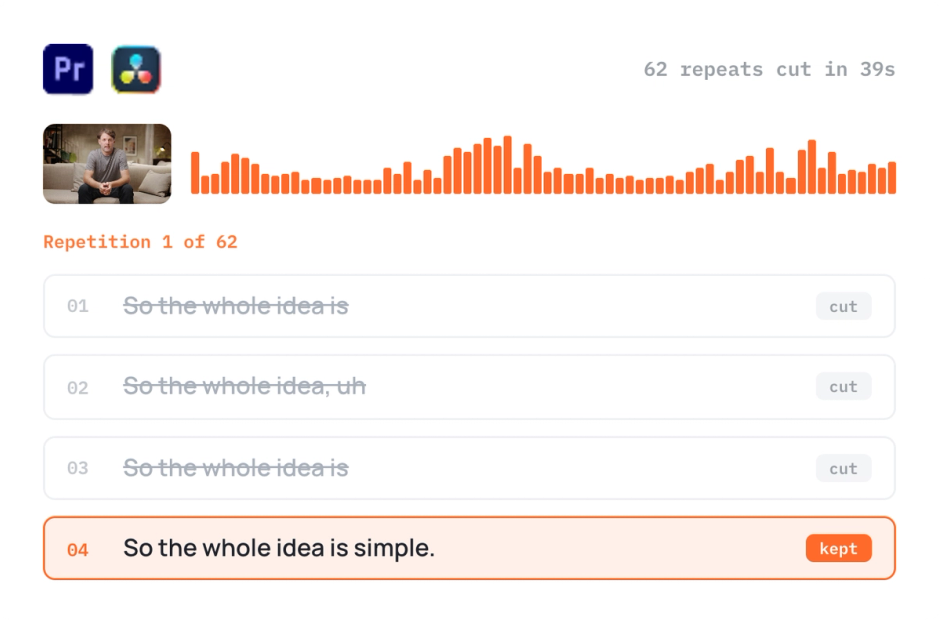
AutoCut Repeat
AutoCut Repeat identifies content repetitions and preserves only the best takes.
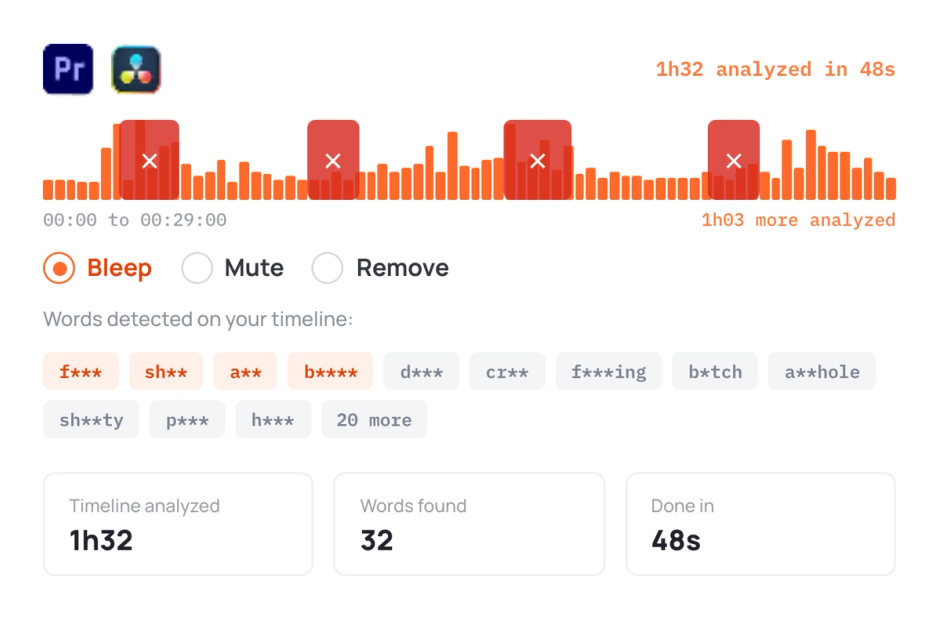
AutoProfanity Filter
AutoProfanity masks profanities with sound effects, ensuring content integrity.
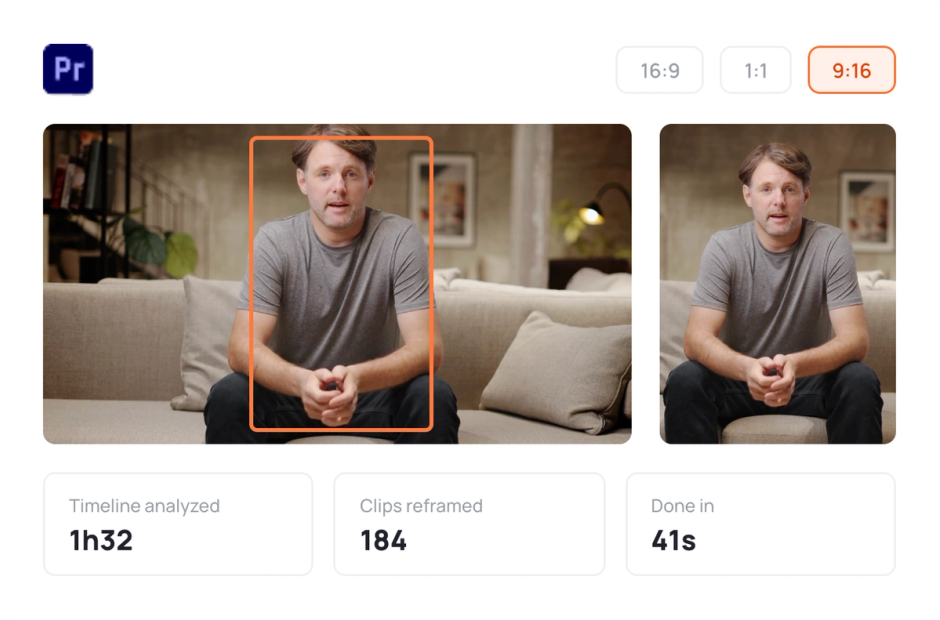
AutoResize
AutoResize adapts sequences to social formats, smartly keeping subjects centered.
Elevate your editing process with AutoCut now!